
String Extraction & Analysis
Strings embedded in a binary are among the most immediately useful artifacts in malware analysis. Before you understand a single line of assembly code, the strings inside an executable can reveal C2 domains, file paths, registry keys, API function names, error messages, and even the author's native language.
1. Why Strings Matter
Strings analysis can reveal:
- C2 infrastructure -- URLs, IP addresses, domain names
- Persistence mechanisms -- Registry key paths like
CurrentVersion\Run - Dropped files -- File paths such as
%APPDATA%\config.tmp - Network protocols -- HTTP headers, User-Agent strings
- Capabilities -- API function names suggesting specific behaviors
- Debug artifacts -- Error messages, PDB paths
- Encryption -- References to crypto APIs or hardcoded keys
Important: Strings are theories, not conclusions. A string referencing a registry key does not prove the malware modifies that key -- it only suggests it might. Behavioral analysis validates what static strings suggest.
2. String Extraction Tools
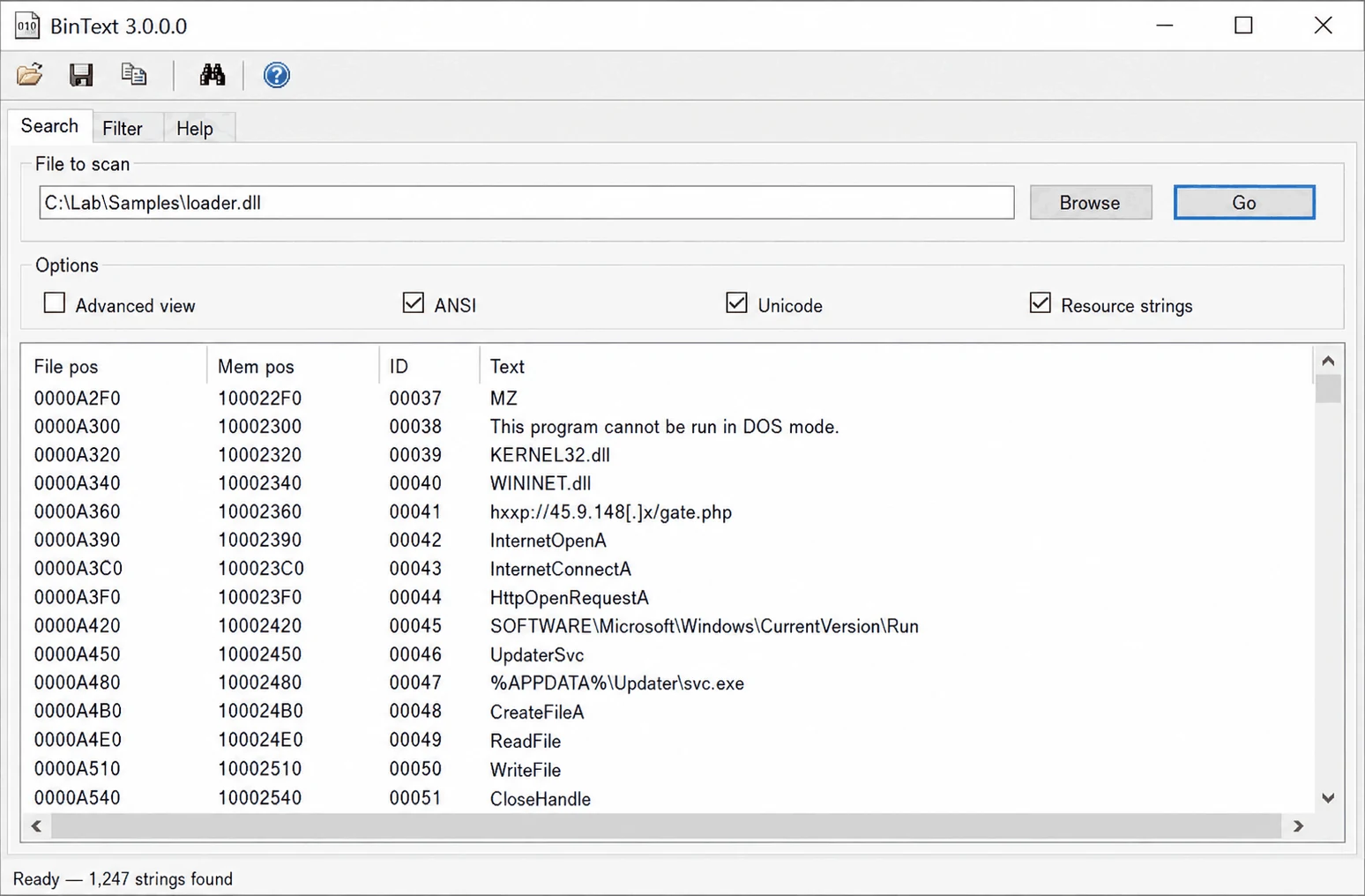
The pestr Utility (REMnux)
Designed for PE files, extracts both ASCII and Unicode strings in a single pass:
$ pestr brbbot.exe | more
!This program cannot be run in DOS mode.
.text
.rdata
brbconfig.tmp
exec
file
sleep
encode
Software\Microsoft\Windows\CurrentVersion\Run
brbbot
Microsoft Enhanced Cryptographic Provider v1.0
Mozilla/4.0 (compatible; MSIE 8.0; Windows NT 6.1; Trident/4.0)
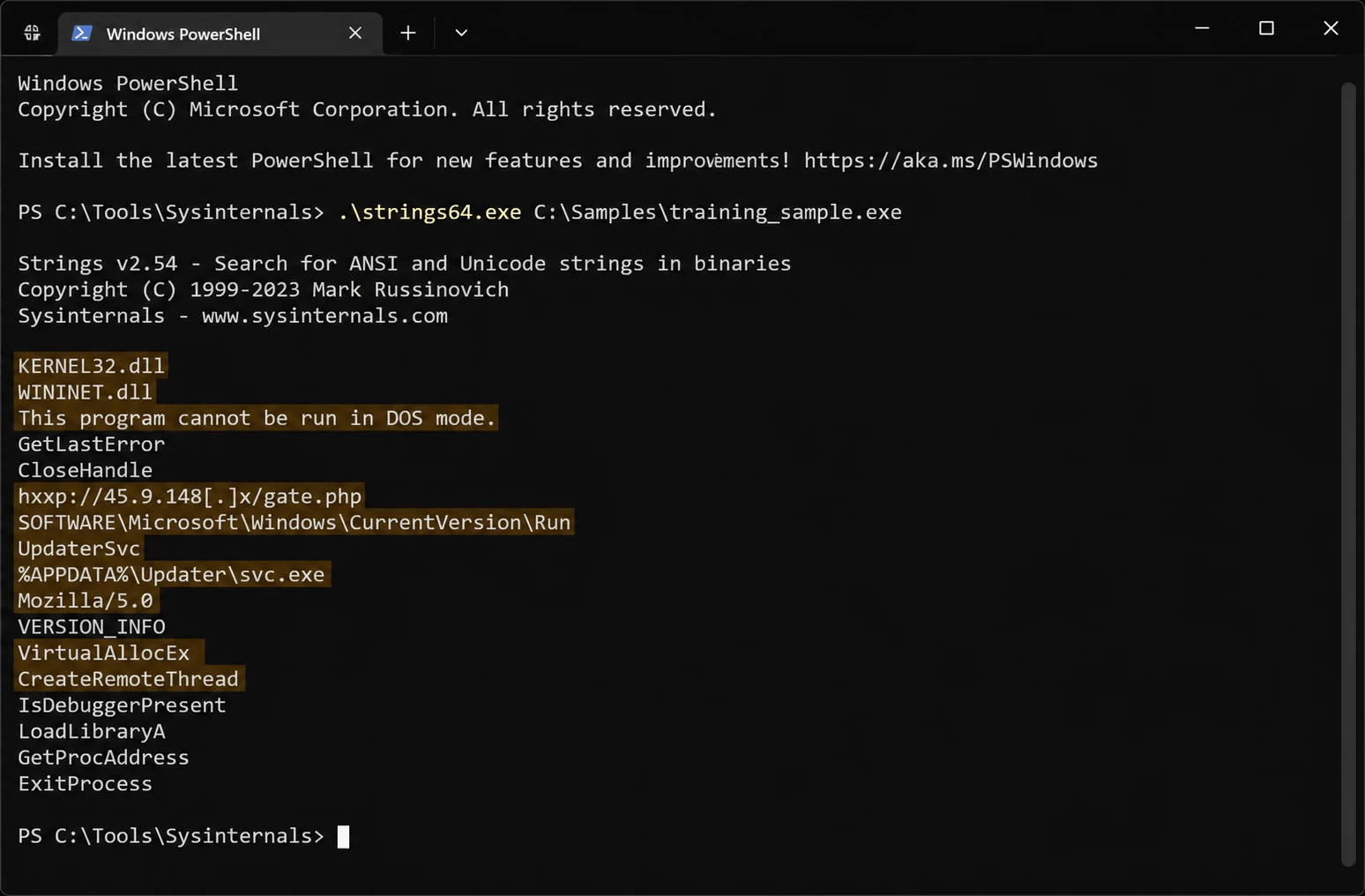
The strings Command (Linux)
# ASCII strings (scan whole file)
$ strings -a suspicious.exe

# Unicode strings (little-endian, common in Windows)
$ strings -el suspicious.exe

# With file offset (useful for hex editor correlation)
$ strings -a -t x suspicious.exe

# Combine ASCII and Unicode
$ strings -a suspicious.exe > ascii.txt
$ strings -el suspicious.exe > unicode.txt
$ cat ascii.txt unicode.txt | sort -u > all_strings.txt
Pro Tip: Always use
-ato scan the entire file, not just initialized sections.
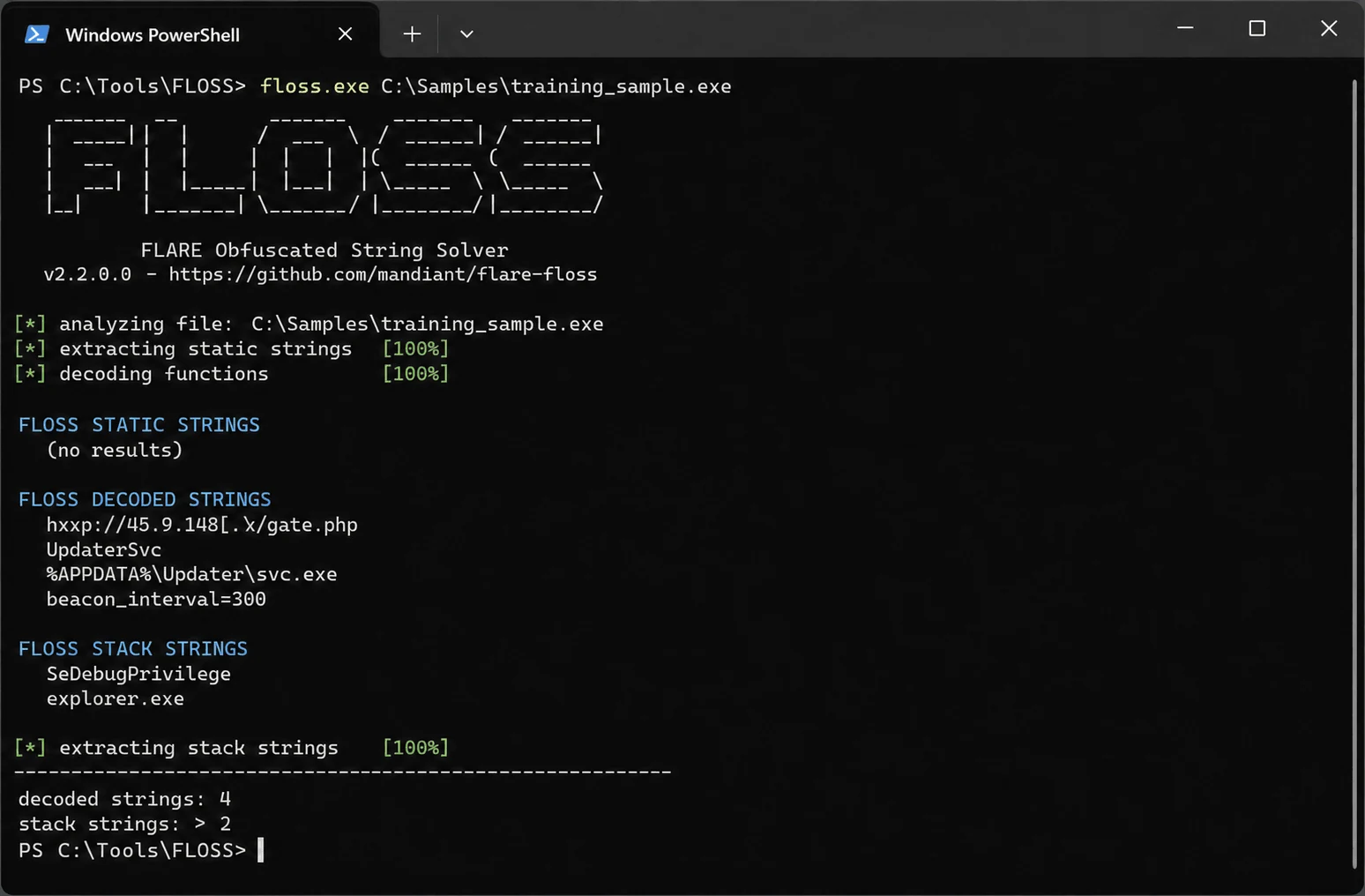
FLOSS (FLARE Obfuscated String Solver)
FLOSS does everything strings does but also automatically decodes obfuscated strings:
$ floss suspicious.exe

FLOSS static strings
---------------------
CreateRemoteThread
VirtualAllocEx
http://evil.com/gate.php

FLOSS decoded strings
---------------------
C:\Users\Public\payload.dll      # Was XOR-encoded
api.telegram.org/bot             # Was stack-built
HKLM\SOFTWARE\Microsoft\Windows  # Was concatenated

FLOSS stack strings
-------------------
cmd.exe /c del %0               # Built on stack, invisible to strings
FLOSS finds strings strings completely misses via static decoding (XOR, Base64, ROT13), stack string recovery, and tight string recovery.
3. String Categories: What to Look For
| Category | Pattern | What It Suggests |
|---|---|---|
| URLs/IPs | http://, IP patterns | C2 communication |
| Domains | .com, .ru, .onion | C2 infrastructure |
| File paths | %TEMP%, %APPDATA% | File drop locations |
| Registry keys | HKLM, CurrentVersion\Run | Persistence |
| API names | VirtualAlloc, CreateRemoteThread | Injection, evasion |
| User-Agent | Mozilla/, custom strings | HTTP fingerprint |
| Crypto refs | AES, CryptEncrypt | Encryption / ransomware |
| Commands | cmd.exe, powershell, whoami | Reconnaissance |
| PDB paths | C:\Users\...\*.pdb | Developer environment info |
| Base64 blobs | Long alphanumeric with = | Encoded payloads |
| Mutex names | Unique identifiers | Anti-re-infection |
Interpreting brbbot.exe Strings
From the strings output, an analyst can form theories:
brbconfig.tmp-- Likely a configuration file dropped to diskSoftware\Microsoft\Windows\CurrentVersion\Run-- Persistence via Run keyMozilla/4.0 (compatible; MSIE 8.0...)-- Custom User-Agent for HTTP C2exec,file,conf,sleep-- Possible bot commandsMicrosoft Enhanced Cryptographic Provider-- Uses Windows crypto APIs
4. Handling String Obfuscation
Common Obfuscation Techniques
| Technique | How It Works | Detection |
|---|---|---|
| XOR encoding | Each byte XORed with key | FLOSS, brute-force single-byte XOR |
| Base64 | Standard or custom alphabet | base64 -d, CyberChef, Python |
| Stack strings | Characters pushed one at a time | FLOSS stack string recovery |
| Concatenation | Fragments joined at runtime | FLOSS, decompilation |
| Encrypted configs | AES/RC4 encrypted blocks | Dynamic analysis (dump after decryption) |
| Custom encoding | Proprietary algorithm | Reverse engineer the routine |
Decoding Base64
$ echo "aHR0cDovL2V2aWwuY29tL3BheWxvYWQuZXhl" | base64 -d
http://evil.com/payload.exe
Brute-Forcing Single-Byte XOR
with open("suspicious.exe", "rb") as f:
    data = f.read()

for key in range(1, 256):
    decoded = bytes([b ^ key for b in data])
    if b"http://" in decoded or b"https://" in decoded:
        print(f"Key 0x{key:02x}: Found URL pattern")
    if b"HKLM" in decoded or b"CurrentVersion" in decoded:
        print(f"Key 0x{key:02x}: Found registry pattern")
5. Practical Workflow
- Run
pestrorstrings -afor a quick first look - Run
strings -elto capture Unicode strings - Run FLOSS to recover obfuscated and stack-built strings
- Categorize findings into IOCs, capabilities, and attribution hints
- Search unique strings on Google/VirusTotal for family identification
- Document theories to guide your next analysis steps
- Cross-reference with import table analysis
Common Pitfall: Do not trust all strings blindly. Malware authors sometimes embed decoy strings to mislead analysts.
MITRE ATT&CK: String obfuscation maps to T1027 - Obfuscated Files or Information and T1140 - Deobfuscate/Decode Files or Information.