
What Is Malware?
Malware (malicious software) is any program intentionally designed to harm, exploit, or otherwise compromise computer systems, networks, or users. Understanding malware is the foundation of being able to analyze it -- you need to know what you are looking at before you can determine how it works.
Why this matters: As a malware analyst, your ability to quickly classify a sample guides every subsequent decision -- which tools to use, which analysis techniques to apply, and what IOCs to prioritize.
Comprehensive Malware Taxonomy
Malware is categorized by its primary behavior and propagation method. Many modern samples blur the lines between categories, combining multiple capabilities in a single payload.
Core Malware Types
| Category | Primary Goal | Propagation | Notable Examples | MITRE ATT&CK |
|---|---|---|---|---|
| Virus | Infect files, replicate via host files | Requires user action (run infected file) | CIH, Sality, Virut | T1204 (User Execution) |
| Worm | Self-propagate across networks | Autonomous, exploits vulnerabilities | Conficker, Slammer | T1210 (Exploitation of Remote Services) |
| Trojan | Disguise as legitimate software | Social engineering, bundled software | Zeus, NjRAT | T1036 (Masquerading) |
| RAT | Remote access and control | Phishing, watering holes | DarkComet, Quasar, Cobalt Strike | T1219 (Remote Access Software) |
| Ransomware | Encrypt files, demand ransom | Phishing, RDP brute-force, exploits | LockBit, BlackCat/ALPHV, Conti, REvil | T1486 (Data Encrypted for Impact) |
| Rootkit | Hide malware presence, maintain stealth | Bundled with other malware, exploits | TDL-4, ZeroAccess | T1014 (Rootkit) |
| Bootkit | Infect MBR/VBR/UEFI, survive OS reinstall | Requires admin/root, firmware exploits | Lojax, MosaicRegressor | T1542 (Pre-OS Boot) |
| Infostealer | Exfiltrate credentials, cookies, crypto wallets | Phishing, malvertising, cracked software | RedLine, Raccoon, Vidar, Lumma | T1555 (Credentials from Password Stores) |
| Dropper/Loader | Download and execute second-stage payloads | Email attachments, malicious documents | Emotet, QakBot, IcedID, BatLoader | T1105 (Ingress Tool Transfer) |
| Spyware | Surveil user activity (keylogging, screenshots) | Bundled software, exploits | Pegasus, FinFisher | T1056 (Input Capture) |
| Cryptominer | Mine cryptocurrency using victim resources | Exploits, supply chain, web injection | XMRig-based miners | T1496 (Resource Hijacking) |
| Wiper | Destroy data, render systems inoperable | Targeted deployment, supply chain | NotPetya, WhisperGate, HermeticWiper | T1485 (Data Destruction) |
| Botnet Agent | Enlist system in botnet for DDoS/spam/proxy | Worm-like spreading, loader delivery | Mirai, TrickBot | T1583.005 (Botnet) |
The Blurred Lines: Multi-Function Malware
Modern malware rarely fits neatly into a single category. Consider these real-world examples:
- Emotet started as a banking trojan, evolved into a loader/botnet that delivered other malware families like TrickBot and Cobalt Strike
- WannaCry combined ransomware encryption with a worm propagation mechanism using the EternalBlue exploit
- NotPetya appeared to be ransomware but was actually a wiper -- there was no real decryption mechanism
- TrickBot began as a banking trojan, added infostealer modules, lateral movement capabilities, and became a loader for Ryuk/Conti ransomware
Malware Evolution Timeline
Understanding how malware has evolved helps you recognize both legacy and modern techniques:
| Era | Period | Key Developments | Analysis Challenge |
|---|---|---|---|
| Early Viruses | 1980s-1990s | Boot sector viruses, file infectors, macro viruses | Simple signatures, low volume |
| Network Worms | 2000s | Code Red, Slammer, Conficker -- autonomous spreading | Speed of propagation, network analysis |
| Crime-as-a-Service | 2008-2015 | Zeus, SpyEye -- banking trojans, exploit kits | Polymorphism, encryption, anti-analysis |
| Ransomware Era | 2016-present | CryptoLocker, WannaCry, LockBit -- extortion at scale | Encryption, data exfil, double extortion |
| APT & Nation-State | 2010-present | Stuxnet, APT28/29, Lazarus Group -- targeted espionage | Sophisticated evasion, zero-days, supply chain |
| AI-Augmented | 2023-present | LLM-assisted phishing, polymorphic generation | Rapid variant creation, convincing lures |
The Malware Lifecycle (Kill Chain Perspective)
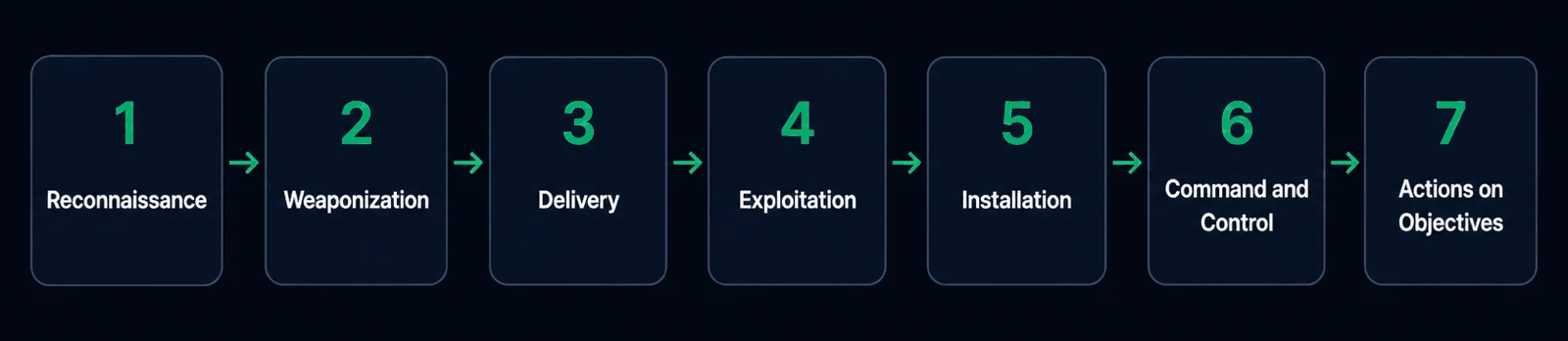
Every malware infection follows a lifecycle. Understanding these phases helps you know what to look for during analysis and maps directly to the Lockheed Martin Cyber Kill Chain and MITRE ATT&CK framework.
Phase 1: RECONNAISSANCE     Attacker gathers info about the target
     |
Phase 2: WEAPONIZATION      Malware payload is crafted (e.g., malicious doc + exploit)
     |
Phase 3: DELIVERY            Payload reaches victim (phishing, drive-by, USB)
     |
Phase 4: EXPLOITATION        Vulnerability or user action triggers execution
     |
Phase 5: INSTALLATION        Malware establishes persistence on the system
     |
Phase 6: COMMAND & CONTROL   Malware beacons to C2 server for instructions
     |
Phase 7: ACTIONS ON          Data theft, lateral movement, ransomware
         OBJECTIVES           deployment, destruction
What Each Phase Means for the Analyst
| Phase | What You Find During Analysis | Key Artifacts |
|---|---|---|
| Delivery | How the sample arrived | Phishing email headers, download URL, dropper file |
| Execution | How code runs | Parent process, command line args, exploit shellcode |
| Persistence | How it survives reboots | Registry Run keys, scheduled tasks, services, WMI subscriptions |
| C2 Communication | How it phones home | DNS queries, HTTP beacons, encrypted channels, JA3 hashes |
| Actions on Objective | What damage it does | Encrypted files, exfiltrated data, lateral movement artifacts |
Quick Triage: Identifying Malware Type from Behavior
When you first encounter a sample, these behavioral signals help you classify it:
IF sample encrypts files and drops ransom note
   -> RANSOMWARE

IF sample injects into browsers and hooks HTTP APIs
   -> BANKING TROJAN / INFOSTEALER

IF sample opens a listening port or connects to C2 for remote commands
   -> RAT (Remote Access Trojan)

IF sample copies itself to network shares or exploits remote services
   -> WORM

IF sample installs kernel drivers or hooks SSDT/IDT
   -> ROOTKIT

IF sample downloads and executes additional payloads
   -> DROPPER / LOADER

IF sample mines cryptocurrency (high CPU, connects to mining pools)
   -> CRYPTOMINER
Practical: Identifying a Sample on Your First Encounter
When you receive a suspicious file for the first time, here is the initial triage workflow:
Step 1: Compute hashes and check reputation
# On REMnux
sha256sum suspicious.exe
# Search the hash on VirusTotal, MalwareBazaar, or Hybrid Analysis
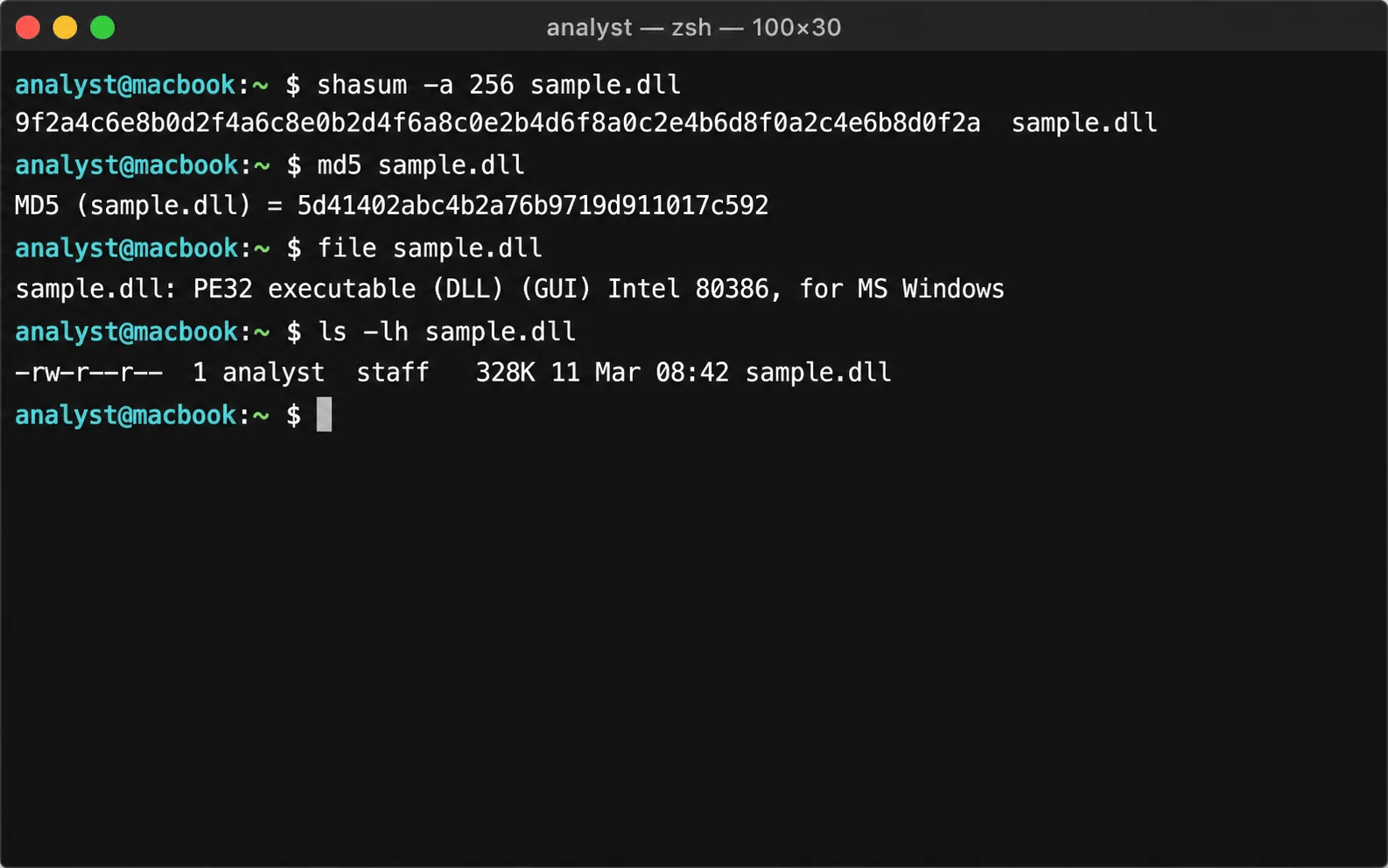
Step 2: Identify file type (do not trust the extension)
file suspicious.exe
# Example output: PE32 executable (GUI) Intel 80386, for MS Windows
Step 3: Extract strings for initial clues
pestr suspicious.exe | head -50
# Look for: URLs, IP addresses, registry paths, file paths, API names
Step 4: Form initial hypotheses
Based on strings and static properties, ask yourself:
- Does it reference network APIs? (Likely communicates with C2)
- Does it reference registry Run keys? (Likely persists)
- Does it reference crypto APIs? (Might encrypt files or data)
- Does it reference process manipulation APIs? (Might inject into other processes)
Common Pitfalls and Pro Tips
Pitfall: Trusting file extensions. A file named document.pdf might actually be a PE executable. Always verify with the file command or magic byte inspection.
Pitfall: Single-category thinking. Do not assume a sample has only one function. Modern malware is modular -- a loader today might deploy ransomware tomorrow.
Pro Tip: When classifying malware, focus on the primary behavior you observe, but document all capabilities. A sample might be primarily a RAT but also have infostealer and keylogger modules.
Pro Tip: Map every observed behavior to the MITRE ATT&CK framework from the start. This creates a structured vocabulary that makes your reports actionable for defenders.