
Indicators of Compromise (IOCs)
Indicators of Compromise (IOCs) are forensic artifacts -- specific pieces of evidence -- that identify potentially malicious activity on a system or network. They are the currency of threat intelligence: the things you extract during analysis and share with defenders so they can detect the same threat across their environment.
IOCs are not just technical data points. They represent the trail an attacker leaves behind. Your job as an analyst is to find, validate, categorize, and communicate these indicators so that defenders can act on them.
The IOC Classification Framework
IOCs exist at different levels of abstraction. The widely-used Pyramid of Pain (developed by David Bianco) ranks indicator types by how difficult they are for an attacker to change:
         /\
        /  \        TTPs (Tactics, Techniques, Procedures)
       /    \       Hardest for attackers to change
      /──────\
     / Tools  \     Specific malware families, frameworks
    /──────────\
   / Network /  \   C2 domains, IPs, URLs
  /  Host     \  \  Registry keys, mutexes, file paths
 / Artifacts   \  \
/────────────────\
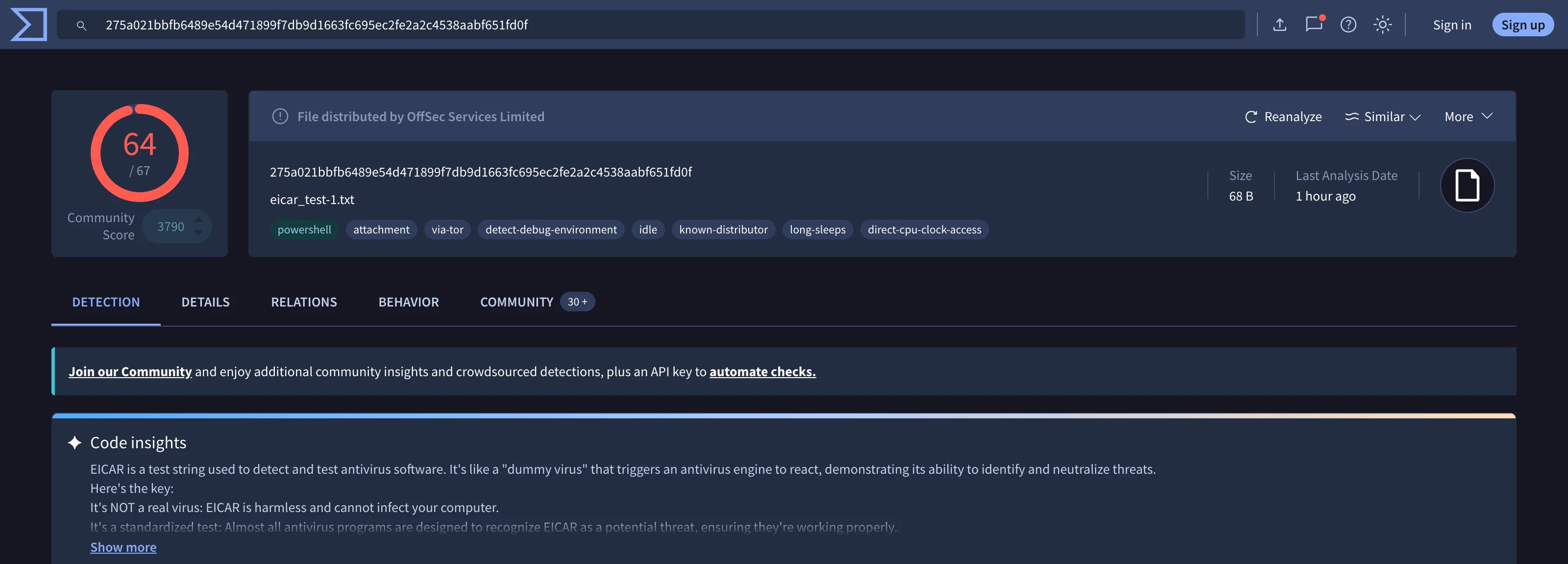
/ Hash Values     \  Easiest for attackers to change
/──────────────────\  (just recompile)
The higher up the pyramid, the more painful it is for an attacker to evade your detection. A hash-based IOC is trivially defeated by recompiling the malware. But detecting the attacker's behavioral patterns (TTPs) forces them to fundamentally change their approach.
IOC Categories in Detail
1. File-Based Indicators (Atomic)
These are the most basic IOCs -- direct artifacts from the malware file itself.
| Indicator Type | Description | Durability | Example |
|---|---|---|---|
| SHA256 hash | Unique file fingerprint | Very low (changes with any modification) | e47060d0f7de5ee6... |
| MD5 hash | Legacy file fingerprint | Very low + collision-prone | 1c7243c8f3586b79... |
| SHA1 hash | Middle-ground hash | Very low | 4db5a8f23793786d... |
| Imphash | Hash of import table | Medium (survives minor code changes) | f34d5f2d4577ed6d... |
| SSDEEP | Fuzzy hash for similarity | Medium (matches similar files) | 384:W8Gk9Fmu/J2+... |
| Rich header hash | Compiler environment fingerprint | Medium-High | Links samples built in same environment |
| File name | Name of the malicious file | Very low | brbconfig.tmp, svchost.exe |
| File size | Size in bytes | Very low | Useful for quick triage only |
| YARA rule | Pattern-based signature | Medium-High | Detects structural patterns across variants |
Practical workflow for file-based IOCs:
# Compute all common hashes at once on REMnux:
sha256sum sample.exe
md5sum sample.exe
sha1sum sample.exe
ssdeep sample.exe

# Compute imphash with Python:
python3 -c "
import pefile
pe = pefile.PE('sample.exe')
print('Imphash:', pe.get_imphash())
"

# Search the hash on VirusTotal via API:
curl -s "https://www.virustotal.com/api/v3/files/HASH_HERE" \
  -H "x-apikey: YOUR_API_KEY" | python3 -m json.tool
2. Host-Based Indicators
These IOCs reveal what the malware did to the system during execution. They are more durable than file hashes because they reflect the malware's behavior rather than its specific binary.
| Indicator Type | Where to Find It | Why It Matters | Example |
|---|---|---|---|
| Registry keys | Procmon, Regshot, autoruns | Persistence mechanisms | HKLM\Software\Microsoft\Windows\CurrentVersion\Run\brbbot |
| Scheduled tasks | schtasks /query, Procmon | Persistence, periodic execution | Task named "WindowsUpdate" running malware |
| Services | services.msc, sc query | Persistence as a Windows service | Service "svcnet" pointing to malware DLL |
| Mutex/Event names | Process Explorer, Handle.exe | Ensures single instance running | LXCV0IMGIXS0RTA1 |
| Dropped files | Procmon (file write operations) | Second-stage payloads, configs | %TEMP%\payload.dll, brbconfig.tmp |
| Modified files | Procmon, file system monitoring | Data corruption, config changes | Modified hosts file, browser settings |
| Process behavior | Procmon, Process Explorer | Injection, spawning patterns | svchost.exe spawning powershell.exe |
| Named pipes | Procmon, pipelist.exe | Inter-process communication (C2 channels) | \\\.\pipe\interop_abc123 |
| WMI subscriptions | wmic, Autoruns | Fileless persistence | WMI event subscription executing PowerShell |
Practical workflow for host-based IOCs:
# Extract autoruns (persistence) on Windows:
autorunsc.exe -a * -c -s > autoruns_output.csv

# Compare registry snapshots with Regshot:
# 1. Take "1st shot" before execution
# 2. Execute malware
# 3. Take "2nd shot" after execution
# 4. Click "Compare" to see all registry changes

# List mutexes held by a process (Windows):
handle.exe -a -p [PID] | findstr Mutant
3. Network-Based Indicators
Network IOCs reveal how the malware communicates with attacker infrastructure. These are especially valuable because they can be deployed as firewall rules, DNS sinkholes, and IDS signatures.
| Indicator Type | Detection Point | Durability | Example |
|---|---|---|---|
| IP addresses | Firewall, IDS, Wireshark | Low-Medium (easily rotated) | 185.220.101.45 |
| Domain names | DNS logs, proxy logs | Medium (requires new registration) | cn.mnemonicarx.biz |
| URLs | Proxy logs, HTTP inspection | Medium | /gate.php?id=%s&cmd=%s |
| User-Agent strings | Proxy logs, Wireshark | Medium-High (often hardcoded) | Mozilla/4.0 (compatible; MSIE 8.0...) |
| JA3/JA3S fingerprints | TLS inspection | High (tied to TLS implementation) | e7d705a3286e19ea... |
| DNS query patterns | DNS logs | Medium-High (DGA patterns) | Rapid queries for random domains |
| HTTP request patterns | Proxy, IDS | Medium | POST with specific parameter names |
| Certificate fingerprints | TLS inspection | Medium | Self-signed certs with specific fields |
| Beacon timing | Network flow analysis | High (tied to C2 protocol) | Connections every 60s +/- 10% jitter |
| SNORT/Suricata rules | IDS/IPS | Varies | Signature matching on packet content |
Practical workflow for network IOCs:
# Extract DNS queries from a PCAP:
tshark -r capture.pcap -T fields -e dns.qry.name -Y "dns.qry.type == 1" | sort -u

# Extract HTTP requests:
tshark -r capture.pcap -T fields -e http.host -e http.request.uri -Y "http.request"

# Extract destination IPs:
tshark -r capture.pcap -T fields -e ip.dst -Y "ip.dst" | sort -u | uniq -c | sort -rn

# Extract JA3 fingerprints:
tshark -r capture.pcap -T fields -e tls.handshake.ja3 -Y "tls.handshake.type == 1"

# From INetSim logs:
grep "DNS:" /var/log/inetsim/service.log
grep "HTTP:" /var/log/inetsim/service.log
IOC vs IOA: Two Complementary Approaches
| Dimension | IOC (Indicator of Compromise) | IOA (Indicator of Attack) |
|---|---|---|
| What it is | A static artifact: a hash, IP, domain, file path | A behavioral pattern: a sequence of actions |
| When it detects | After compromise has occurred | During the attack, potentially before damage |
| Example | SHA256 of malware binary, C2 domain | PowerShell downloading and executing from %TEMP% |
| Durability | Low to medium (easily changed by attacker) | High (tied to attacker's methodology) |
| Detection style | Reactive: look for known-bad artifacts | Proactive: look for suspicious behavior patterns |
| MITRE mapping | Specific indicators under techniques | Techniques and sub-techniques themselves |
| Use case | Threat intelligence sharing, blocklists | EDR behavioral rules, SIEM correlation |
Pro Tip: The most effective detection strategies combine both IOCs and IOAs. IOCs give you quick wins for known threats. IOAs catch novel variants that share behavioral patterns with known threats.
The IOC Lifecycle
IOCs are not permanent. They have a lifecycle that affects their value:
1. DISCOVERY        Analyst extracts IOC during sample analysis
       |
2. VALIDATION       Confirm the IOC is accurate (not a false positive)
       |
3. ENRICHMENT       Add context: threat actor, campaign, confidence level
       |
4. DISSEMINATION    Share with defenders, threat intel platforms
       |
5. DEPLOYMENT       Implement as detection rules (SIEM, IDS, EDR, firewall)
       |
6. MONITORING       Track hits and effectiveness
       |
7. DEPRECATION      IOC becomes stale as attacker rotates infrastructure
IOC Expiration Guidelines
| IOC Type | Typical Useful Lifespan | Notes |
|---|---|---|
| File hashes | Days to weeks | Attackers recompile frequently |
| C2 IP addresses | Days to months | Depends on attacker infrastructure |
| C2 domains | Weeks to months | Longer if attacker uses bought domains |
| Mutex names | Months to years | Often hardcoded, rarely changed |
| Registry paths | Months to years | Tied to malware family behavior |
| JA3 fingerprints | Months to years | Tied to TLS library/configuration |
| TTPs | Years | Fundamental to attacker methodology |
Sharing IOCs: STIX and TAXII
The security industry uses standardized formats to share IOCs:
STIX (Structured Threat Information eXpression) is a JSON-based language for describing threat intelligence. A STIX bundle contains objects like indicators, malware descriptions, attack patterns, and relationships between them.
TAXII (Trusted Automated eXchange of Intelligence Information) is the transport protocol for sharing STIX data between organizations, typically over HTTPS APIs.
Other Common Formats
| Format | Description | Common Usage |
|---|---|---|
| STIX 2.1 | JSON-based standard | MISP, OpenCTI, threat intel platforms |
| OpenIOC | XML-based (Mandiant) | Legacy, still used in some tools |
| CSV | Simple comma-separated | Quick sharing, manual import |
| YARA rules | Pattern matching language | File scanning, malware classification |
| Sigma rules | Generic log detection | SIEM rule sharing |
| SNORT/Suricata | Network detection rules | IDS/IPS deployment |
Practical IOC Extraction Workflow
When you analyze a sample, follow this systematic process to extract IOCs:
Phase 1: Static Analysis IOCs
[ ] File hashes (MD5, SHA1, SHA256, imphash, ssdeep)
[ ] Embedded strings (URLs, IPs, domains, file paths)
[ ] PE metadata (compile timestamp, section names, resources)
[ ] Digital signature information (if present)
[ ] YARA rule matches
Phase 2: Dynamic Analysis IOCs
[ ] Files created/modified/deleted (paths + hashes of dropped files)
[ ] Registry keys created/modified
[ ] Processes spawned (parent-child relationships)
[ ] Mutexes created
[ ] Network connections (IPs, domains, URLs, ports)
[ ] DNS queries made
[ ] HTTP request patterns (User-Agent, URI patterns, POST data)
Phase 3: IOC Validation and Documentation
For each IOC, record:
  - Type: [hash | domain | IP | registry | mutex | ...]
  - Value: [the actual indicator]
  - Source: [which analysis phase produced it]
  - Confidence: [high | medium | low]
  - Context: [what does this indicator represent?]
  - ATT&CK mapping: [technique ID if applicable]
Common Pitfalls
Pitfall: Recording IOCs without context. A raw list of hashes and IPs is far less useful than IOCs annotated with what they represent and how confident you are.
Pitfall: Treating all IOCs as equally reliable. Strings found in static analysis are hypotheses. IOCs confirmed through dynamic execution are validated evidence.
Pitfall: Ignoring IOC expiration. C2 infrastructure gets rotated. Hashes change with recompilation. Always consider the freshness of your IOCs.
Pro Tip: Use OSINT pivoting to expand your IOC set. One domain might resolve to an IP that hosts other malicious domains. One mutex name might link your sample to an entire malware family, as demonstrated in the Bunitu malware investigation where the mutex value LXCV0IMGIXS0RTA1 connected multiple related samples.